
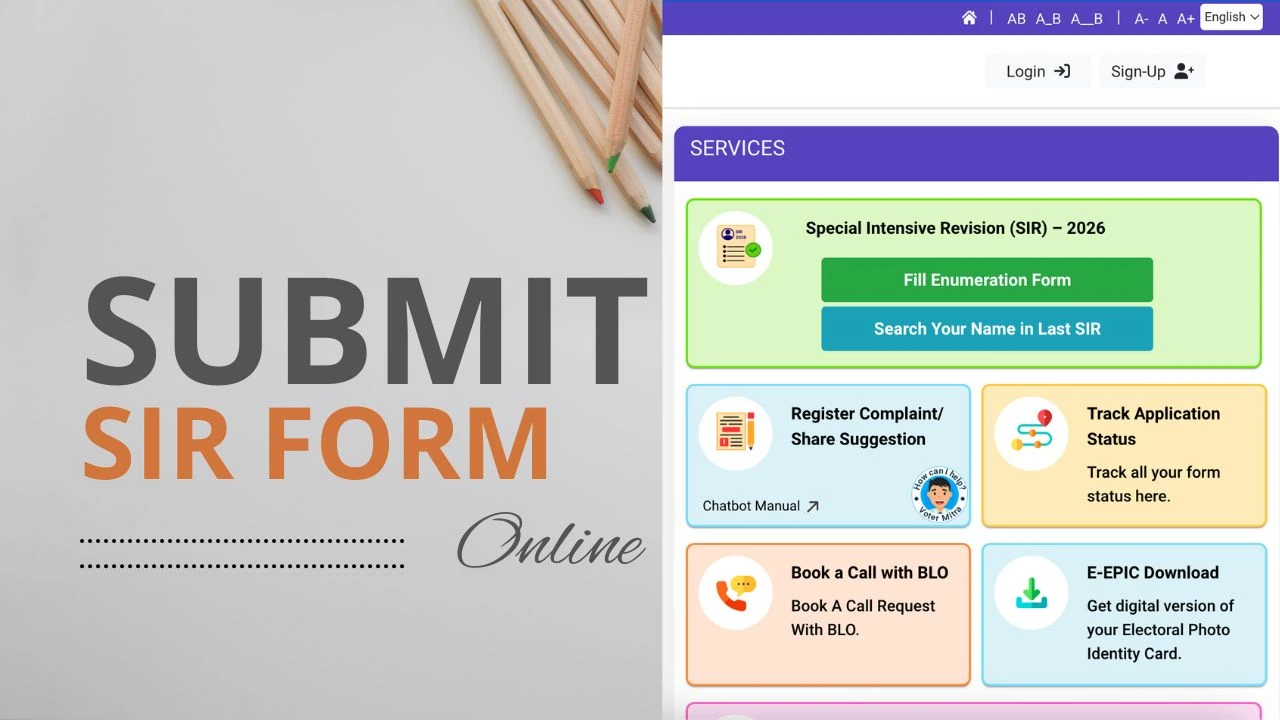
An important initiative used to update and maintain an accurate electoral voter list is the Special Intensive Revision (SIR) process. The SIR form eliminates duplicate or out-of-date data, adds new voters who have just turned eighteen, and guarantees that every eligible person is accurately recorded as a voter. The entire revision process is quicker, easier, and more visible when the SIR form is submitted online.
What Is the SIR Form?
Voter data is updated in the electoral roll using the SIR (Special Intensive Revision) form. It assists residents in reporting duplicate entries, requesting adjustments, making sure their names appear accurately in the voter list, and registering to vote for the first time. The form is essential to preserving the election system’s accuracy and equity.
Why Submitting the SIR Form Matters
Your voter information will be current and error-free if you submit the SIR form. It guarantees that new voters are added on time and assists in eliminating inaccurate entries. Free and fair elections depend on a clean and accurate electoral roll, which the SIR process helps to maintain by routinely checking and updating voter information.
Benefits of Submitting the SIR Form Online
There are various advantages to submitting the SIR form online. You can finish the procedure from home and save time by doing away with the necessity for in-person appointments. By using digital validation, it minimizes paperwork and helps prevent human error. Online submissions ensure faster changes to the electoral roll because they are processed more quickly and securely.
Documents You May Need Before Submission
Documents such as evidence of identification, proof of age, proof of address, and any supporting documentation for correction requests should be kept before submitting the SIR form online. Aadhaar cards, passports, birth certificates, and utility bills are a few examples of these. The submission procedure runs more smoothly when these are prepared.
How to Submit the SIR Form Online (Step-by-Step Guide)
Step 1: Visit the official electoral roll or voter services website designated for SIR submissions.
Step 2: Log in using your mobile number, email ID, or identification details, or create a new account if required.
Step 3: Navigate to the section labeled “Special Intensive Revision,” “Electoral Roll Update,” or “SIR Form.”
Step 4: Select the purpose of the submission, such as correcting voter details, removing duplicate entries, or adding a new voter.
Step 5: Fill in all required details accurately, including personal information, address, and voter ID details if applicable.
Step 6: Upload the necessary documents in the appropriate format as proof of identity, age, or address.
Step 7: Review all information entered to ensure accuracy and completeness.
Step 8: Submit the form and save or download the acknowledgment or reference number for future reference.
After You Submit the SIR Form
The electoral authorities will consider your SIR request after it is submitted. If more information or explanation is required, you might be contacted. The electoral roll will be updated upon verification, and you can use your reference number to verify the status online.
Tips for a Smooth SIR Form Submission
To prevent delays, carefully enter all the information. Use legitimate and official documentation as evidence. For verification, make sure your email address and mobile number are accurate. Fill out the form before the Special Intensive Revision session deadline.
Conclusion
One of the most important steps in keeping the electoral roll current and accurate is submitting the SIR form online. Citizens support the integrity of the electoral process and assist maintain a clean voter list by taking part in the Special Intensive Revision. Completing the SIR form accurately and quickly is made simple by following this digital submission guide.