
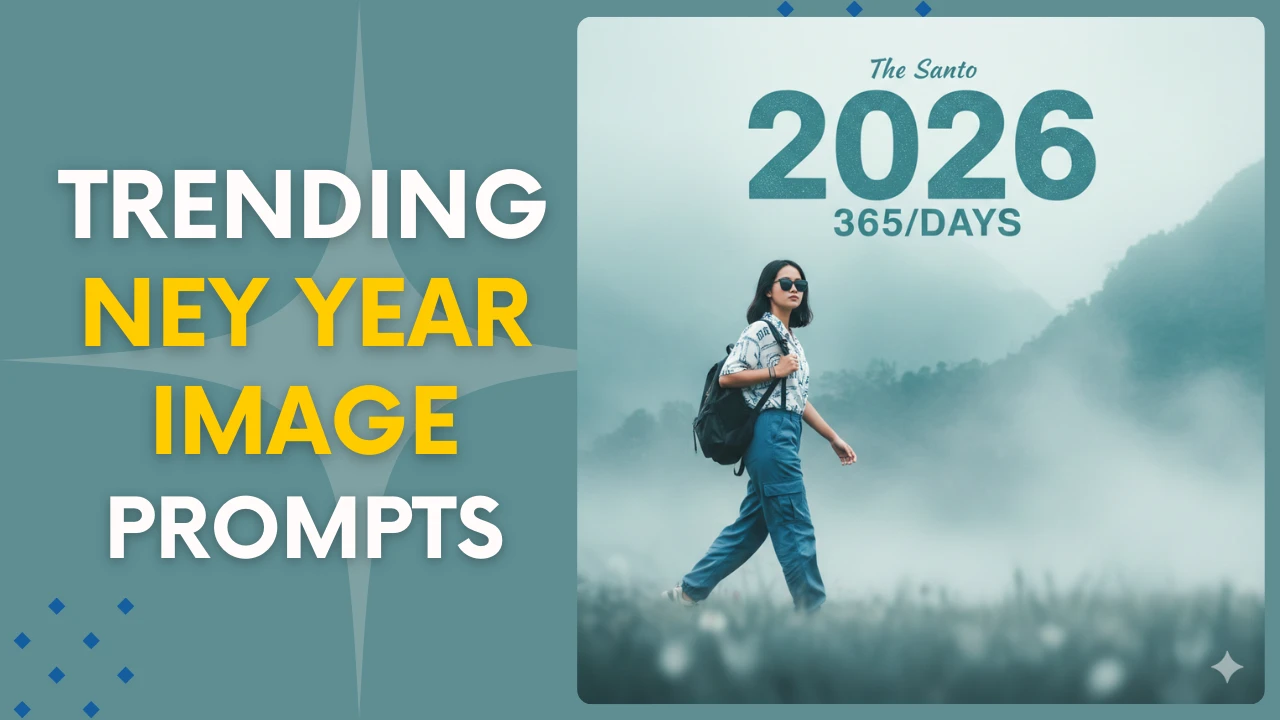
Google’s Gemini AI allows creating beautiful New Year’s photos for social media, desktops, and greeting cards quick and easy. You can produce excellent, imaginative New Year’s designs in a matter of seconds with the correct stimulus. This tutorial provides simple, step-by-step instructions on how to use Gemini AI to make stunning New Year’s photos.
Why Use Gemini AI for New Year Images
Gemini AI produces clear, imaginative images that are customized to your theme and style. Gemini’s image generator produces distinctive images in a matter of seconds, whether you’re looking for realistic, 3D, cartoon, contemporary, or digital art. Greeting card designers, social media developers, and anybody else wishing to create customized New Year’s photos will find it ideal.
Best New Year Prompts for Stunning AI Images
You may simply copy and use the following helpful prompts to create your New Year Photos in Gemini AI:
New Year Prompt 1:
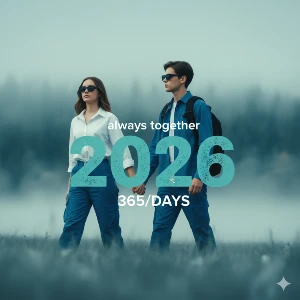
Uploaded girl and boy wearing sunglasses, white and blue batan shirt,blue cargo and left hand black backpack walking confidently across a soft, blurred foreground.The background misty ethereal landscape,dominated by muted teal, blue and light gray tones subject large style text overlay reads "2026" bold, slightly distressed teal font.Smaller text below it says "365/DAYS" and"always together"in top.Cinematic, highly-detailed,soft lighting,style,new year. Camera angle is left side
New Year Prompt 2:
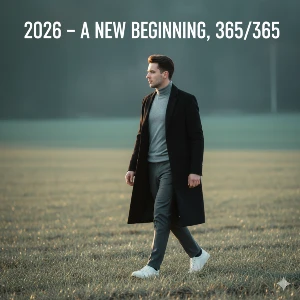
"Full-body shot of a stylish young man walking confidently through a field at golden hour. He wears a long black overcoat, grey turtleneck, grey trousers and white sneakers. Soft cinematic lighting, shallow depth of field, teal-green blurred background, calm atmosphere. Add bold text on top: '2026 - A NEW BEGINNING, 365/365'. Ultra-realistic, cleancomposition, minimalistic aesthetic."
New Year Prompt 3:
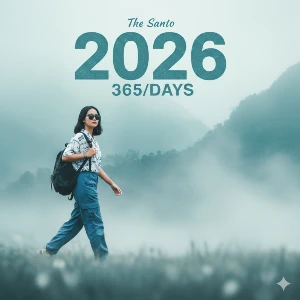
Uploaded girl wearing sunglasses, white and blue batan shirt, blue cargo and left hand black backpack walking confidently across a soft, blurred foreground.Thebackground misty ethereal landscape, dominated by muted teal, blue and light gray tones subject large style text overlay reads “2026” bold, slightly distressed teal font. Smaller text below it says “365/DAYS” and “The Santo” in top.Cinematic, highly-detailed, soft lighting, style, new year.Camera angle is left side
Birthday Prompt 4:
A stylish young Asian man, wearing white and black sunglasses, a white and blue shirt, blue pants, and a black backpack in his left hand, walks confidently across a soft, blurred foreground. The background features a hazy skyscape dominated by light teal, blue, and light gray tones. A large stylized text overlay just above the man’s forehead reads “2026” in bold, slightly distressed teal font. Below this, smaller text reads “365/DAYS.”Cinematic, very detailed, soft lighting, style, New Year. Just like that.
Birthday Prompt 5:
Create a photo of me wearing a stylish, cyan denim jacket over a white T-shirt and blue pants.
I’m holding a black backpack in my left hand. The face in the photo should be the same as the
uploaded photo. I’m looking straiaht at the camera, walking confidently in front of a soft,
blurred foreground. A hazy sky in the background, dominated by light teal, blue, and light gray
tones, reads “2026” in bold, slightly distressed teal font in a large, stylized text overlay just above my forehead, with “365/DAYS” and “WELCOME” written below it. The background is a hazy, ethereal landscape of mountainous trees, dominated by light teal, green, and light gray tones that’s
cinematic, highly detailed, sof lighing, stylizeN New Year’s, The foce should be 100%  perfectly, 49bean. 8k resolution and quality. I should also be wearing a watch on one hand, and my jeans and shoes should be fully visible. Don’t make the phdto look like a cartoon. It should be realistic.
How to Create New Year Images with Gemini AI
Step 1: Open the Gemini website or the Gemini app on your mobile.
Step 2: Sign in using your Google account to access image generation features.
Step 3: Tap the image generation option or start typing directly in the chat.
Step 4: Enter your New Year prompt describing the style and design you want.
Step 5: Tap the Generate button to create your New Year images.
Step 6: Download your favorite image or refine the prompt to get better results.
Conclusion
Gemini AI makes it simple for both novice and expert users to create stunning New Year’s pictures. You can create expert-quality New Year’s wallpapers, posts, and greeting cards in a matter of minutes by experimenting with various designs and utilizing clear directions. Gemini AI is a great place to start if you want visually appealing content for your social media accounts.